Before purchasing, you may want to read the usage guide.
What Interfera Is
Interfera is a geosonic field recordings engine. It generates contextual sound material through geolocation: starting from latitude and longitude, fetching publicly available field recordings recorded in that area, building a continuous listening flow tied to place.
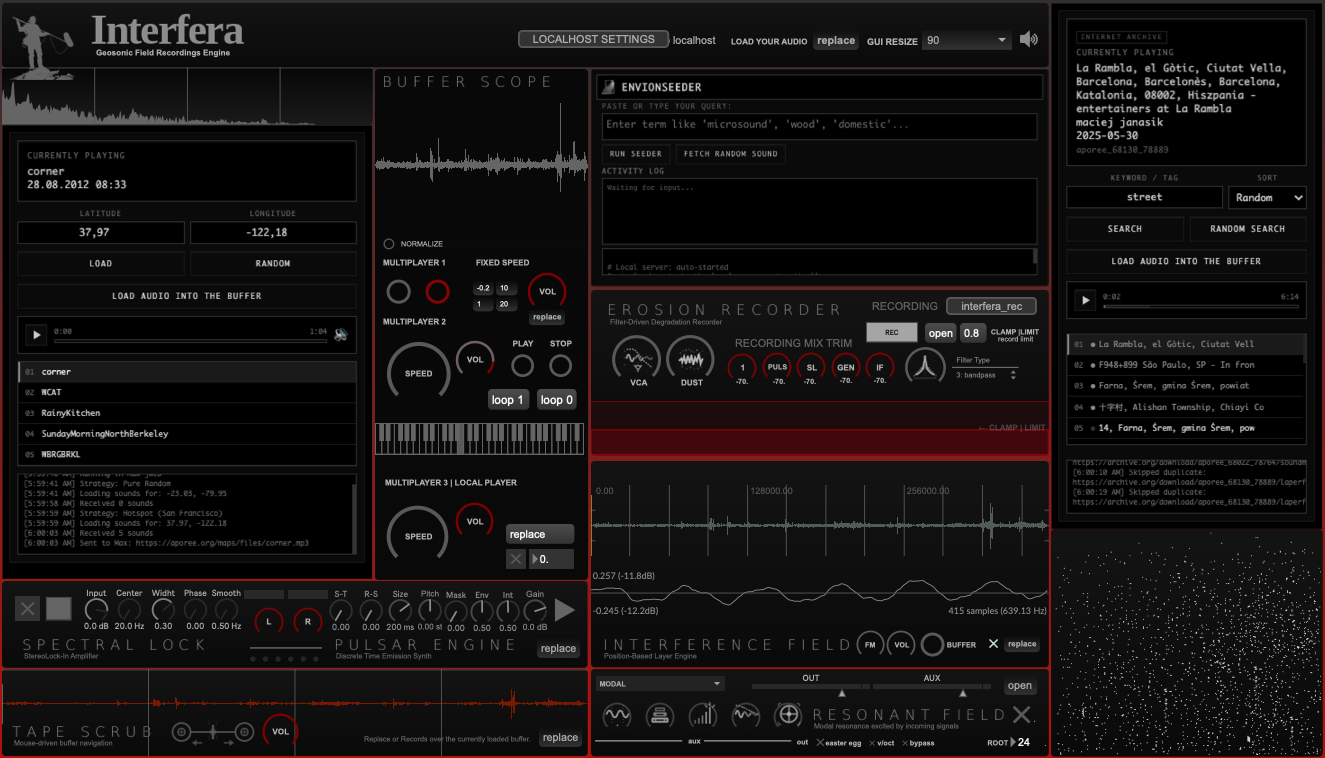
Interfera includes three seeders: a geolocation-based seeder that queries the Aporee Sound Map by GPS coordinates, an Internet Archive seeder for large-scale exploration via keyword, tag, and place name — accessing the full Aporee collection mirrored on archive.org — and an Envion seeder that connects to the Envion procedural ecosystem, enabling both streaming and downloading of generated material. Audio is fetched and streamed, then routed through four independent buffers designed for parallel processing, layering, transformation, and re-recording.
Interfera is designed for live performance, studio work, theatre, film scoring, sound installation, and any context where sound must react, breathe, and transform in real time.
Geosonic Listening
Interfera operates on the principle of geosonic listening: sound is not chosen, but found. It is not composed, but excavated from geographic coordinates. The engine draws from the sonic memory of places, accessing field recordings made by others, archived in public repositories.
This approach shifts the role of the artist from author to curator, from composer to listener. The material is not personal, not owned, not predetermined. It emerges from context, from location, from the acoustic traces left by others in specific coordinates of the world.
Core Modules
- EnvionSeeder (Interfera version) — geolocation and random seeding engine for fetching field recordings from specific coordinates or via keyword exploration
- Buffer Scope — visual feedback of incoming and processed material, showing waveform in real time
- Multiplayer Buffers (4x) — four independent buffer-based playback engines for parallel processing and layering
- Tape Scrub — mouse-driven buffer navigation and time deformation, allowing gestural control over recorded material
- Spectral Lock — lock-in amplifier inspired spectral isolation and tracking for frequency-selective processing
- Pulse Engine — discrete-time emission and micro-pulsar synthesis for granular articulation
- Erosion Recorder — filter-driven degradation recorder capturing unstable states and temporal decay
- Interference Field — position-based layer engine for spatial mixing and interaction
- Resonant Field (miRings) — a clone of Mutable Instruments' Rings module by Volker Böhm, original code by Émilie Gillet. A modal resonator for physical modeling synthesis
Usage Contexts
Interfera is built for contexts where sound must be generative, responsive, and contextual. It is suited for live performance, where material is fetched and transformed in real time. It is suited for studio work, where geosonic sources become raw material for composition. It is suited for theatre and film scoring, where sound must be tied to place and narrative. It is suited for sound installation, where location and listening are inseparable.
The engine does not impose a workflow. It offers a set of tools for exploration and transformation. The responsibility for how those tools are used, and what is done with the resulting sound, remains with the user.
Technical Architecture and Sound Sources
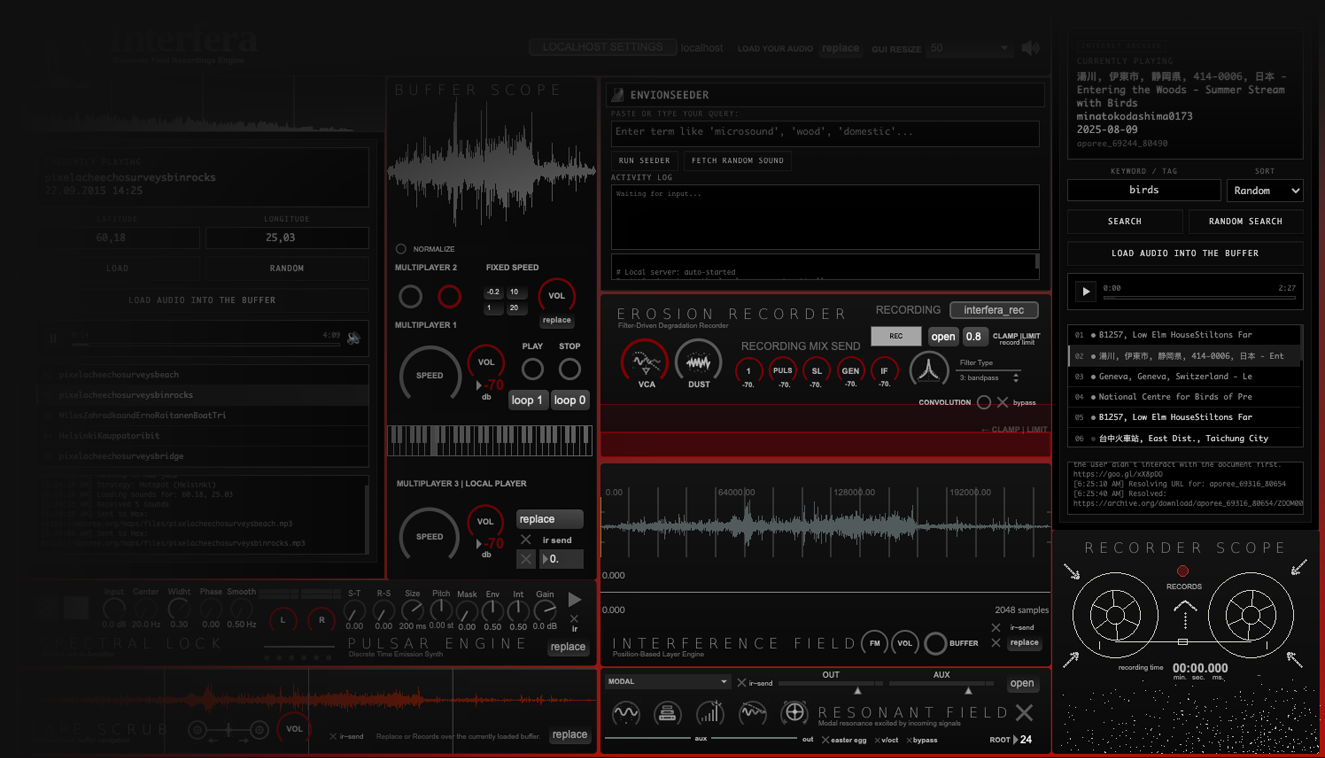
Interfera operates as a system for querying, playback, and transformation of publicly accessible online sound recordings. The system does not host or archive source content, but accesses external resources through dynamic queries based on geographic coordinates or text-based terms.
One of the primary sources used by the geolocated seeder is Aporee Sound Map, a collaborative archive of field recordings associated with GPS coordinates. Queries occur in real time, and the retrieved material is made available through a playback network. A second seeder accesses the same Aporee collection through Internet Archive's public API, enabling keyword and semantic queries across the full archive. This playback network functions as a diffusion layer, reproducing recordings as they were originally shared by field recordists, without imposed pre-processing or alteration.
During the fetch process, audio is loaded into volatile memory (RAM) and made immediately available for listening and playback. This approach enables the use of Interfera in live performance, theatre, sound installations, and site-responsive listening contexts, in a way comparable to online listening maps and streaming-based diffusion practices.
Internet Archive Seeder
Interfera now includes a second seeder powered by the Internet Archive, one of the largest digital repositories in the world. The entire Radio Aporee field recording collection — tens of thousands of recordings — is mirrored and searchable on archive.org. The IA Seeder taps directly into this archive via keyword and semantic search, opening a completely different mode of sonic exploration.
Where the Aporee Seeder locates sound geographically — by GPS coordinates — the IA Seeder locates sound semantically: by what it contains, what it describes, where it was made. Search "rain", "market", "forest", "Tokyo", "bells", "microsound" — or let the engine pick a random term and navigate the archive blindly.
Aporee Seeder
- Logic — geographic / coordinate-based
- Query — latitude + longitude
- Result — recordings physically near that point
- Exploration — spatial drift, topographic randomness
- API — aporee.org/api/ext/
Internet Archive Seeder ✦ New
- Logic — semantic / keyword-based
- Query — word, tag, place name, concept
- Result — recordings matching title, description, subject
- Exploration — thematic drift, conceptual randomness
- API — archive.org/advancedsearch
A locality search works naturally: typing "Berlin" or "Taiwan" or "Patagonia" retrieves recordings whose titles and descriptions mention those places — acoustic documents of those specific geographies, found through language rather than coordinates. The two seeders become complementary instruments: one drifts through space, the other drifts through meaning.
Audio quality through the IA Seeder is consistently high: archive.org stores the original WAV uploads from Radio Aporee contributors and serves them as 320kbps mp3 — the best available transcoding of the source material. The outlet interface to Max is identical to the Aporee Seeder, meaning the full processing chain — four buffers, tape scrub, spectral lock, erosion recorder — is immediately available for any material fetched from the archive.
Streaming, Buffers, and Creative Workflows
Retrieved audio can be monitored in its original state or routed into four independent buffers designed for parallel processing, layering, and transformation. Interfera does not require processing: all treatment modules are optional and part of an open-ended creative workflow.
Depending on the chosen approach, users may use Interfera purely as a listening and playback environment, record material exactly as reproduced by the playback network, record processed, layered, or degraded versions, or combine listening, transformation, and re-recording in real time.
The system prioritizes continuous and unstable processes over discrete events, making it particularly suited for evolving textures, complex sound environments, and non-linear material.
Interfera and Envion: Complementary Approaches
Within the same ecosystem, Interfera and Envion adopt different strategies for accessing and handling sound material.
Interfera is designed as a contextual listening, playback, and transformation environment. It emphasizes real-time use, diffusion, and situated processing, keeping material in volatile memory and leaving decisions about recording and preservation to the user.
Envion includes a dedicated seeder that also enables direct downloading of audio sources. Once fetched, files are saved locally in a fetch directory and can be used offline, archived, or treated as starting material for further sound design and composition. Envion exists in two versions: Envion for PureData and Envion 4 Max.
This distinction makes the two tools complementary: Interfera focuses on geosonic exploration, situated playback, and real-time transformation. Envion focuses on collection, depersonalization, and direct reuse of sound sources.
Recording and Responsibility
Interfera is not designed as an automatic archiving or redistribution tool. Recording occurs only as an explicit and intentional action by the user, through internal re-recording modules.
Sound sources accessed through the queried platforms may be subject to different licenses or usage conditions. Interfera functions like any advanced playback and sound design instrument: it provides the technical infrastructure for listening and transformation, but does not determine or control the final use of the material.
Responsibility for public playback, recording, or commercial use of the resulting material remains with the end user.
System Requirements
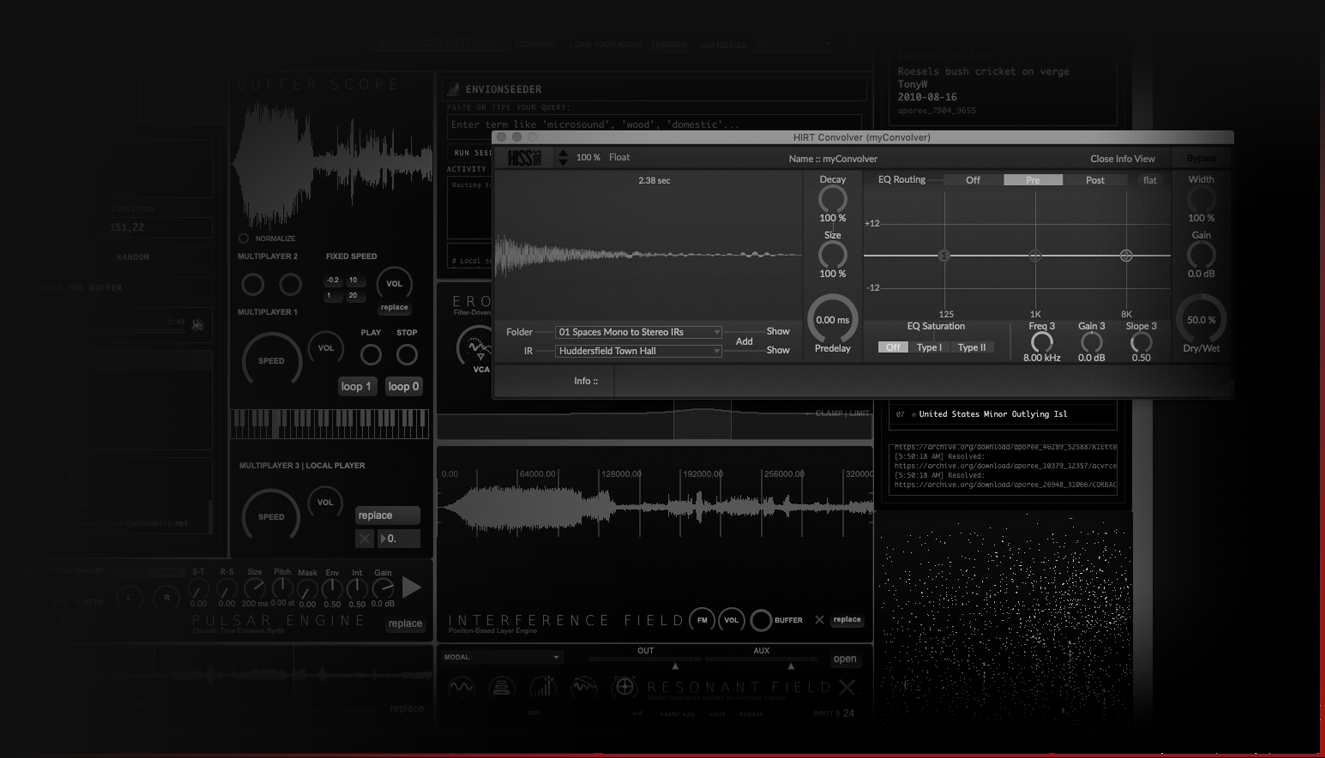
Interfera is available on macOS and Windows. The .maxpat version runs on both platforms with Max/MSP. A couple of free dependencies are required (HISSTools and vb.mi objects — both included in the download or available through the Max Package Manager). A Quick Start guide is included for each platform.
What's Included
Interfera is distributed in .maxpat format for macOS and Windows.
.MAXPAT FORMAT
For macOS and Windows
Full editing access and complete control over the patch structure. Explore, modify, and customize the entire engine architecture.
Requires: Max/MSP (Demo version — no license required. Interfera will work even after the demo trial period has expired).
Note: Interfera is a Max environment that runs independently, not inside a DAW. The .maxpat format works on both macOS and Windows.
With Max/MSP License
Open the .maxpat directly in Max — full editing and customization available
Without Max/MSP License
Open the .maxpat in Max demo — complete functionality, full recording capabilities (dual-channel stereo), ready for performance and production
The Triad: Envion, Endogen, Interfera
Interfera is the third element in a coherent suite of tools for deep and conscious sonic exploration. Each tool addresses a different relationship between composer and sound material.
Interfera
Geosonic Field Recordings Engine
Endogen
A synthesis and advanced sampling environment designed for lowercase, microsound and Drone
Envion
Algorithmic Dynatext Envelope Sequencer for Pure Data (Pd) and Max MSP
- Envion — procedural ecosystem, envelope-first logic. Sound is not played through notes, but articulated through sequences of ternary envelopes. Material is sourced from the web and local disk, depersonalized, and transformed through gesture.
- Endogen — generative internal sound organism. A synthesis system that generates sound from within, using algorithmic processes and modular synthesis to create self-contained sonic worlds.
- Interfera — external geosonic and contextual sound source. Material is not generated internally, but excavated from geographic coordinates and public field recording archives.
Together, these three tools form a framework for working with sound that is neither purely authored nor purely found, but somewhere between intention and accident, between composition and excavation.
Get Interfera
Available now on Gumroad
Purchase on GumroadDiscover Interfera in action — watch the official playlist on YouTube